Firewall
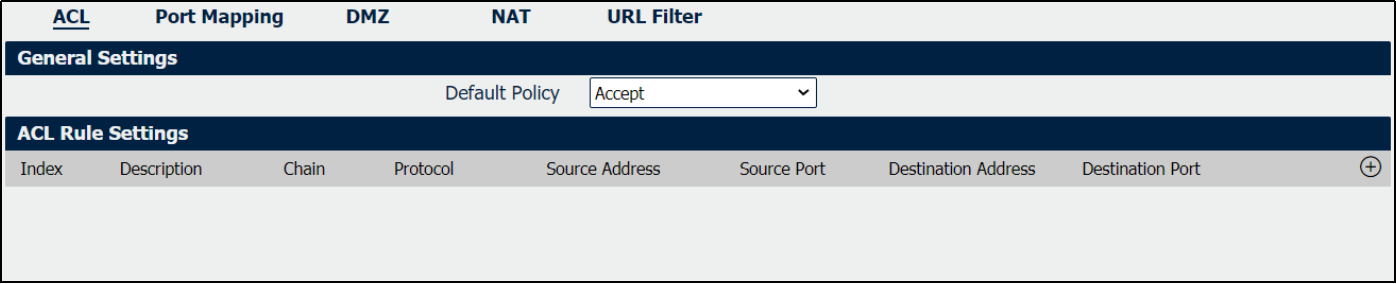
ACL
|
Field |
Description |
|
Select the “Accept” or “Drop” from the list, the packets which are not included in the access control list will be processed by the default filter policy. |
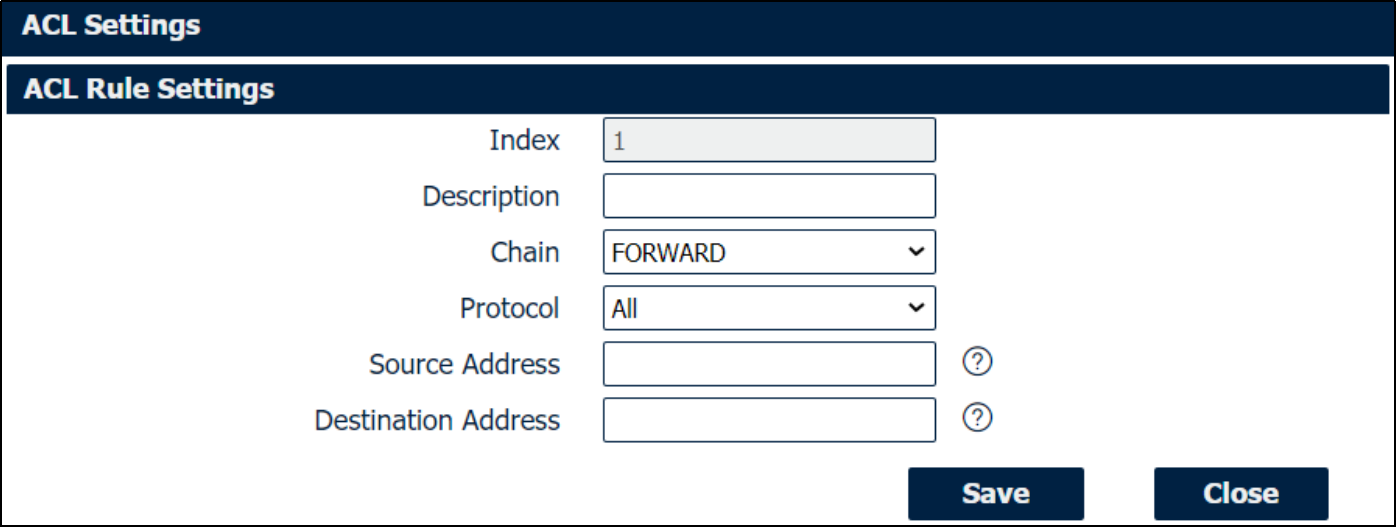
ACL Settings
|
Field |
Description |
|
Add a description for this rule. |
|
Specify the forward rule of ACL, choose from “FORWARD” and “INPUT”. |
|
All: Any protocol number. TCP: The TCP protocol. UDP: The UDP protocol. TCP & DUP: both TCP and UDP protocol ICMP: The ICMP protocol. GRE: The GRE protocol. ESP: The ESP protocol. |
|
A specific host IP address can also be specified, or a range of IP addresses via a bitmask (the box following the /). |
|
A specific IP address can also be specified, or a range of IP addresses via a bitmask (the box following the /). |
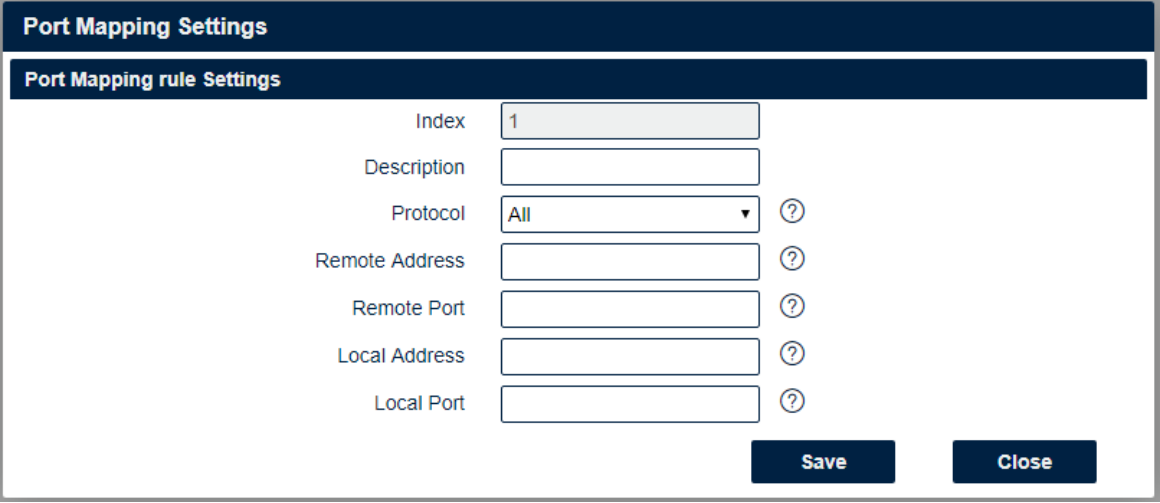
Port Mapping
|
Field |
Description |
|
Add a description for this rule. |
|
All: Any protocol number. TCP: The TCP protocol. UDP: The UDP protocol. |
|
Enter a WAN IP address that is allowed to access the unit. |
|
Enter the external port number range for incoming requests. |
|
Sets the LAN address of a device connected to one of the Fusion’s LAN interfaces. Inbound requests will be forwarded to this IP address. |
|
Sets the LAN port number range used when forwarding to the destination IP address. |

DMZ
|
Field |
Description |
|
Check this box to enable DMZ function. |
|
Optionally restricts DMZ access to only the specified WAN IP address. NOTE: If set to 0.0.0.0/0, the DMZ is open to all incoming WAN IP addresses. |
|
The WAN IP address which has all ports exposed except ports defined in the Port Forwarding configuration. |
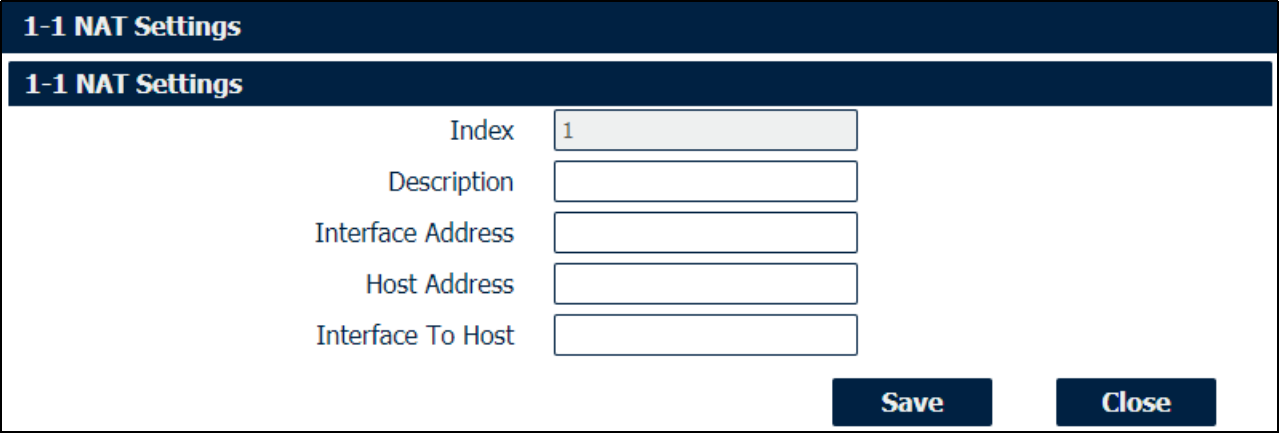
1-1 NAT
|
Field |
Description |
|
Enter a description of 1-to-1 NAT setting. |
|
Specify the interface address that need to be accessed before NAT. |
|
Specify the host address that need to be accessed after NAT. |
|
Specify the interface that connected to host, like lan0, lan1, lan2, lan3. |
URL Filter
|
Field |
Description |
|
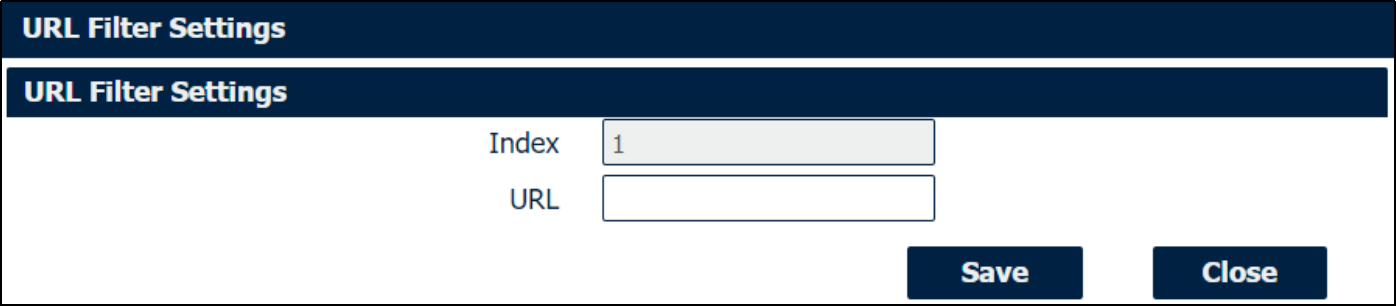
Enter the URL to block the data traffic to go to the website. For example, www.google.com |