OpenVPN
OpenVPN is an open source virtual private network (VPN) product that offers a simplified security framework, modular network design, and cross-platform portability.

Status
| Field | Description |
|
OpenVPN Information |
|
|
Displays current OpenVPN settings is enable or disable. |
|
Displays current working mode of OpenVPN. |
|
Displays the current VPN connection status. |
|
Displays the connection time since VPN is established. |
|
Displays the virtual IP address obtain from remote side. |
|
OpenVPN Server Status |
|
|
Displays the common name of OpenVPN client. |
|
Displays the current VPN connection status. |
|
Displays the connection time since VPN is established. |
|
Displays the virtual IP address of OpenVPN client. |
|
Displays the remote IP address of OpenVPN client. |
|
Displays the remote port obtain of OpenVPN client. |
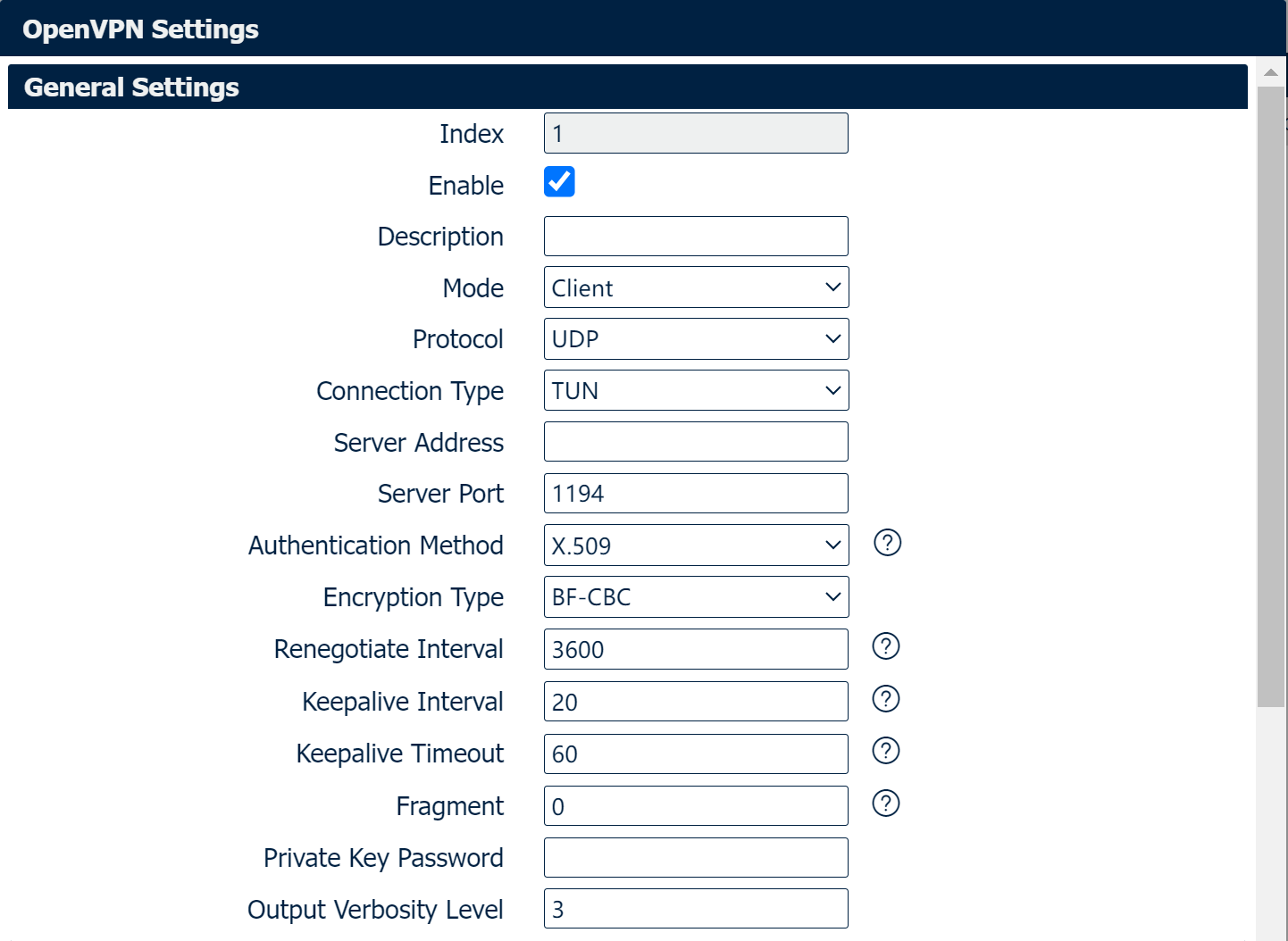
General Settings
|
Field |
Description |
|
Check this box to enable OpenVPN tunnel. |
|
Enter a description for this OpenVPN tunnel. |
|
Select from “P2P”, “Client” or “Server”. |
|
Select from “UDP”, “TCP Client” or “TCP Server” |
|
Select from “TUN”, “TAP” which are two different kinds of device interface for OpenVPN. The difference between TUN and TAP device is that a TUN device is a point-to-point virtual device on network while a TAP device is a virtual device on Ethernet. |
|
Enter the IP address or domain of remote server. |
|
Enter the negotiate port on OpenVPN server. |
|
Allow max OpenVPN client connect to OpenVPN server. |
|
Select from "X.509", "Pre-shared", "Password", and "X.509 And Password". |
|
Select from "BF-CBC", "DES-CBC", "DES-EDE-CBC", "DES-EDE3-CBC", "AES-128-CBC", "AES-192-CBC" and "AES-256-CBC". |
|
Enter the username for authentication when selection from “Password” or “X.509 And Password”. |
|
Enter the password for authentication when selection from “Password” or “X.509 And Password”. |
|
Enter the local virtual IP address when select “P2P” and “OpenVPN Server” mode. |
|
Enter the remote virtual IP address when select “P2P” mode. |
|
Specify the OpenVPN Server port, default is 1194. |
|
Select the possible topology from “Subnet” and “Net30” Subnet: The recommended topology for modern servers. Note that this is not the current default. Addressing is done by IP & netmask. Net30: This is the old topology for support with Windows clients running 2.0.9 or older clients. This is the default as of OpenVPN 2.3, but not recommended for current use. Each client is allocated a virutal /30, taking 4 IPs per client, plus 4 for the server. |
|
Specify the subnet for the OpenVPN client. Default is 10.8.0.0 |
|
Specify the subnet netmaks for OpenVPN client. Default is 255.255.255.0 |
|
Select the specified LAN that bridge with OpenVPN tunnel when select “TAP” connection type. |
|
Enter the renegotiate interval if connection is failed. |
|
Enter the keepalive interval to check the tunnel is active or not. |
|
Enter the keepalive timeout, once connection is failed it will trigger the OpenVPN reconnect. |
|
Enter the fragment size, 0 means disable. |
|
Enter the private key password for authentication when selection from “X.509” or “X.509 And Password”. |
|
Enter the level of the output log and values. |
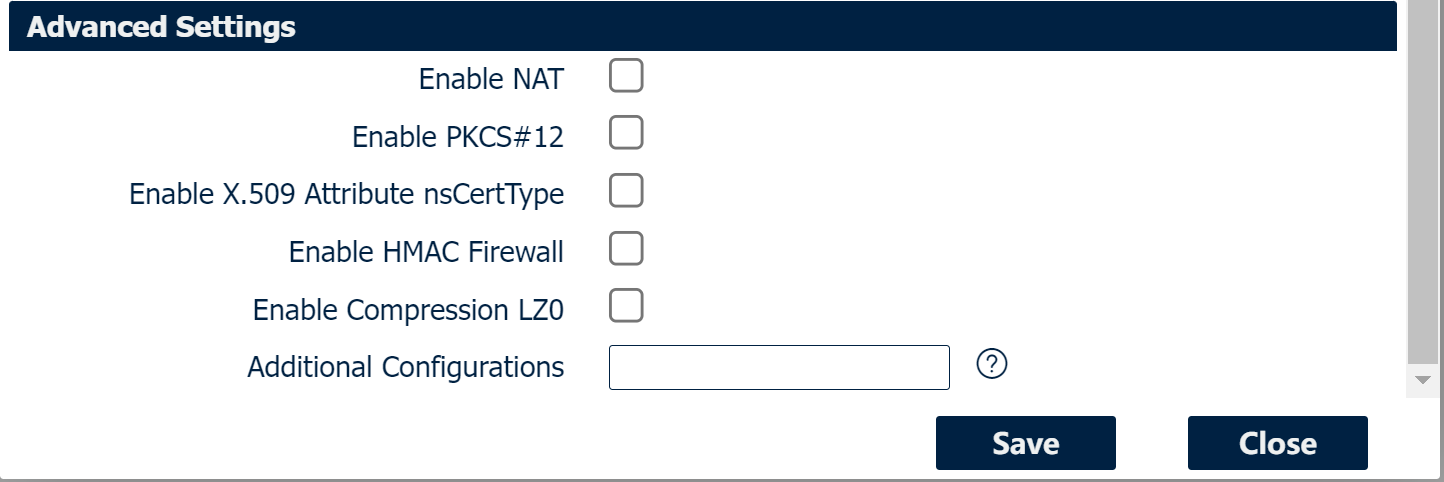
Advanced Settings
|
Field |
Description |
|
Check this box to enable NAT, the source IP of host behind router will be disguised before accessing the remote end. |
|
Check this box to enable default gateway, all the data traffic will go through the VPN tunnel. |
|
It is an exchange of digital certificate encryption standard, used to describe personal identity information. |
|
Check this box to enable CRL(Certificate Revocation List). |
|
Check this box to allow client to communicate with each other. |
|
Check this box allow multiple clients connect to the server with the same certificate/key files or common names. |
|
Check this box to keep the IP address unchanged. |
|
Require that peer certificate was signed with an explicit nsCertType designation of “server”. |
|
Add additional layer of HMAC authentication on the top of the TLS control channel to protect against DoS attacks. |
|
Compress the data. |
|
Enter some other options of OpenVPN in this field. Each expression can be separated by a ‘,’. |
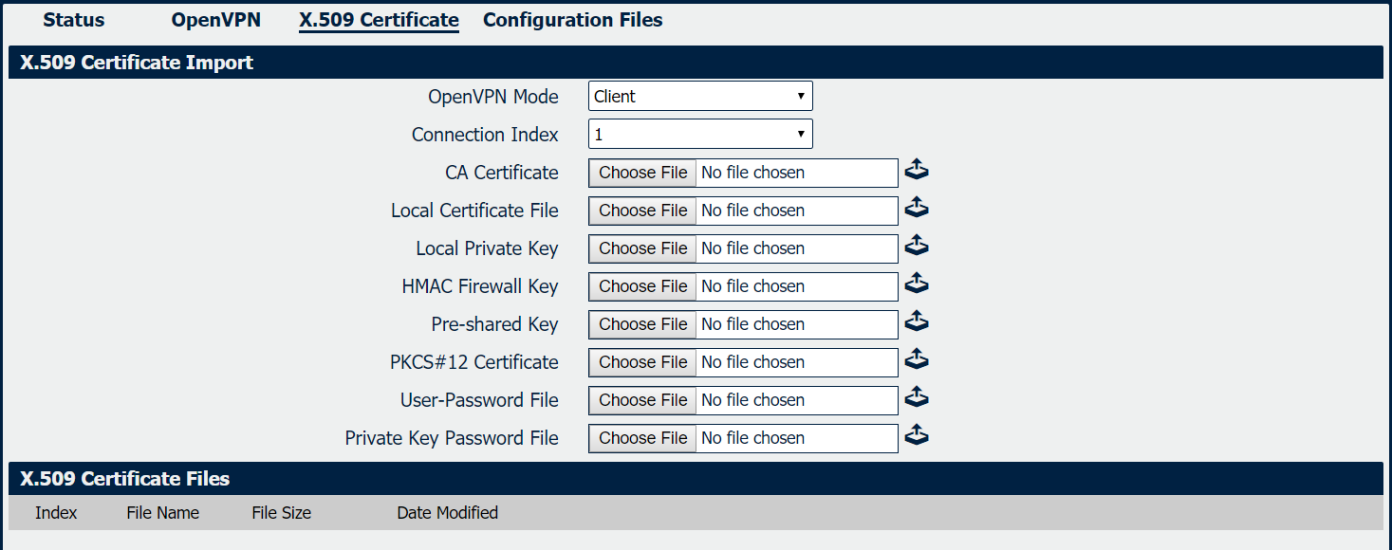
X.509 Certificate
|
Field |
Description |
|
Select OpenVPN working mode between Server and Client. |
|
Displays the current connection index for OpenVPN channel. |
|
Import CA certificate file. |
|
Import Local Certificate file. |
|
Import Local Private Key file. |
|
Import DH file when works as OpenVPN server. |
|
Import HMAC Firewall Key file. |
|
Import the pre-shared key file. |
|
Import PKCS#12 Certificate. |
|
Import the username and password file when import the OpenVPN client file. |
|
Import the private key password file when import the OpenVPN client file. |
|
Import CRL file. |
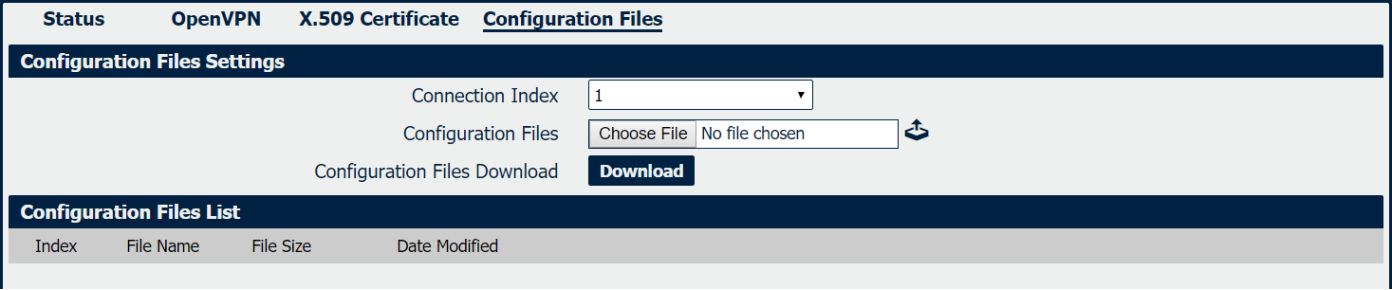
Configuration Files
|
Field |
Description |
|
Select OpenVPN connection index. |
|
Import the OpenVPN client file. |
|
Download the OpenVPN client configuration. |
|
Display the imported OpenVPN client file. |