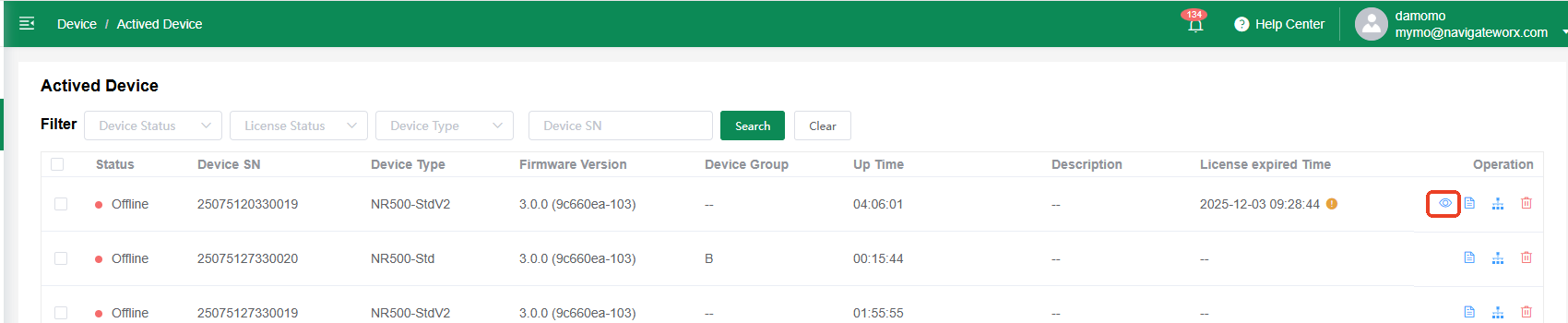
Enter Advance Mode
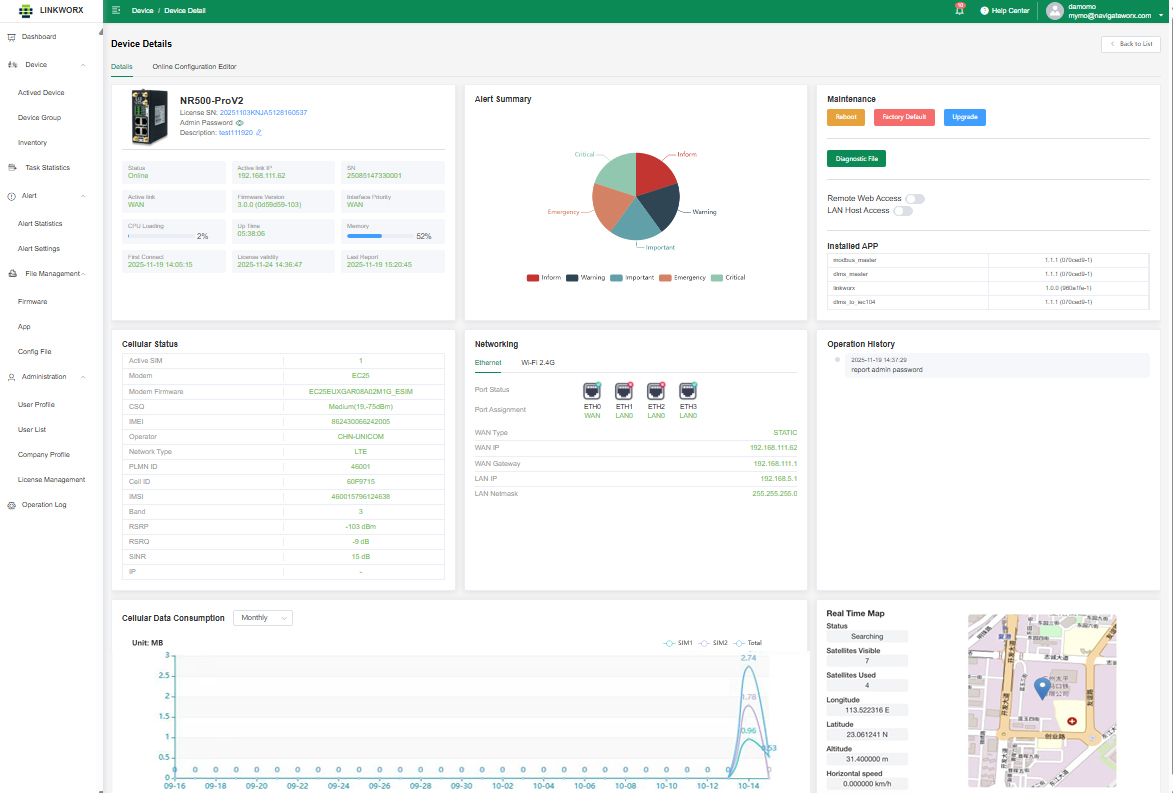
A device with an active license gains access to an advanced configuration interface. Within this interface, users can view detailed device information, monitor data statistics, access geographical location data (if the device is GPS-capable), and manage configuration files online.
The following sections and features are included in the platform:
| Admin Password: |
View the device's current highest-level login password online.
|
| Device Info: |
View the current status and information of the device.
|
| Alert Summary: |
A consolidated view of all active and historical alerts.
|
| Maintenance: |
Perform operations such as Reboot, Factory Reset, Firmware Upgrade, and generate/Download Diagnostic Files.
|
| Remote Access: |
Please refer to the dedicated chapter for details.
|
| Cellular Status: |
Display the current cellular network connection status and signal strength.
|
| Networking: |
View and configure network interfaces and connection settings.
|
| Operation History: |
Logs the 5 most recent device operations, indicating success or failure for each.
|
| Cellular Data Consumption: |
View statistics for cellular data usage, available in daily or monthly intervals. Data is measured in Megabytes (MB).
|
| Real-time Map: |
A live geographical view showing the device's location (for GPS-enabled devices).
|