1 Login to LINKWORX platform
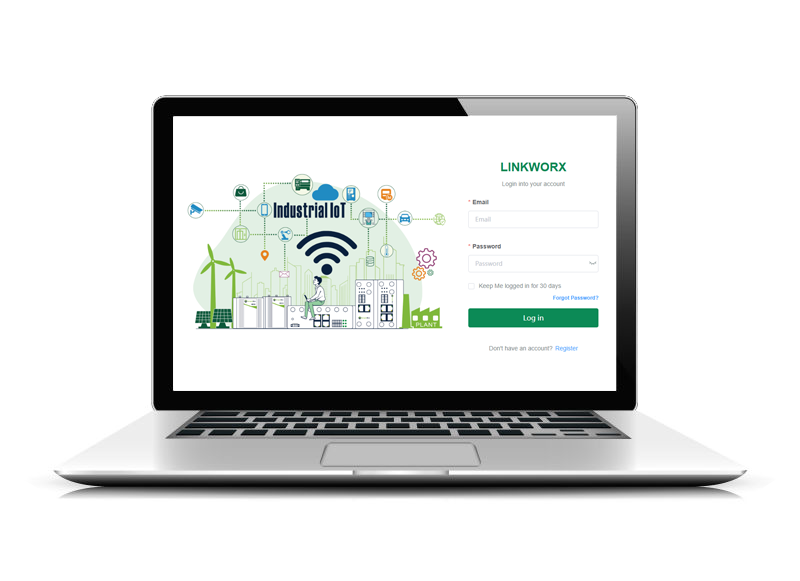
Enter https://cloud.navigateworx.com into the address bar of the web browser. Enter Email and Password, then log in LinkWorx platform.
1.1 Add single unit
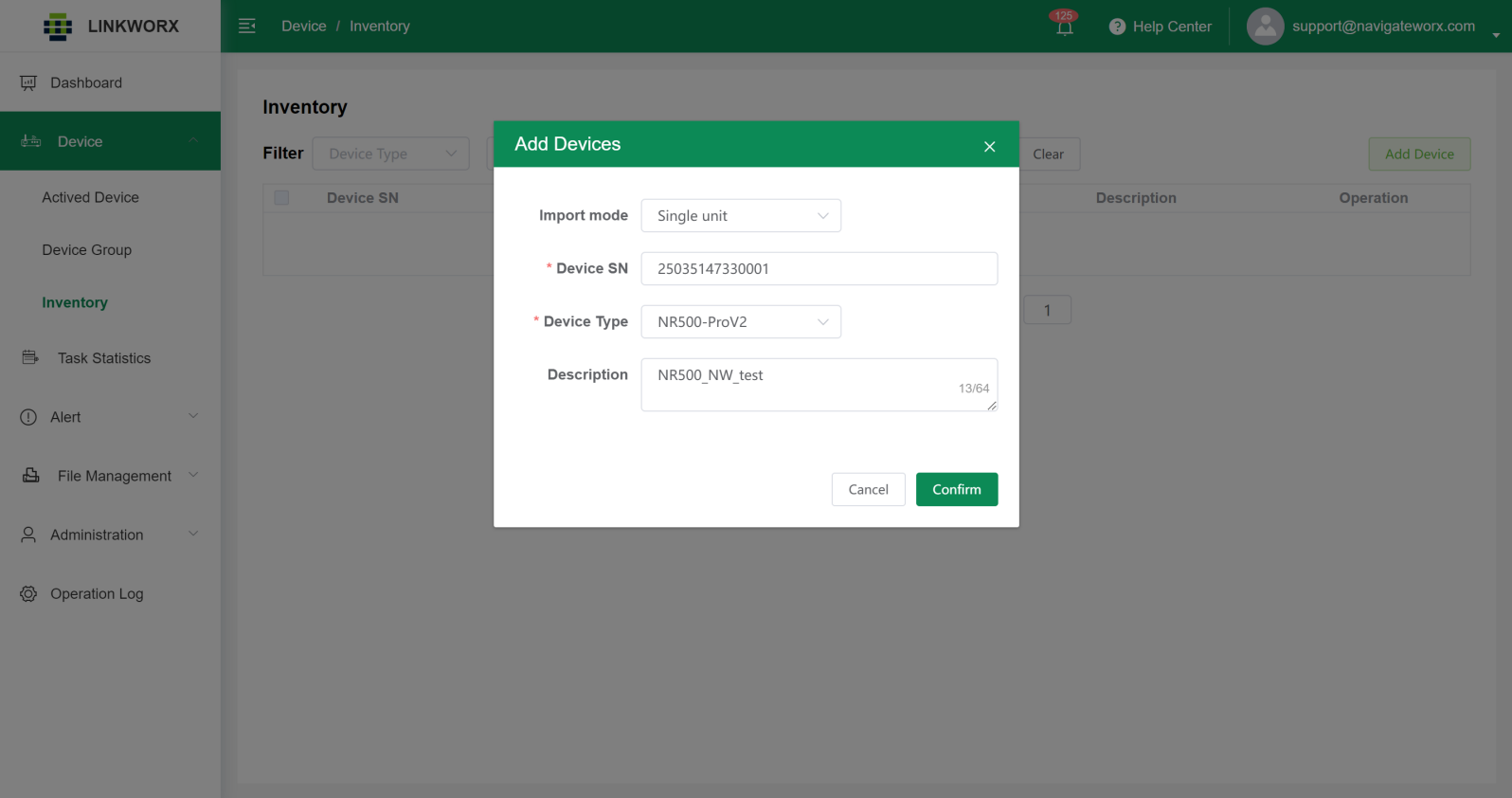
Add a new NavigateWorx router into LinkWorx platform, specify Device Serial number and Device Type, then click Confirm button. Path: Device > Inventory.
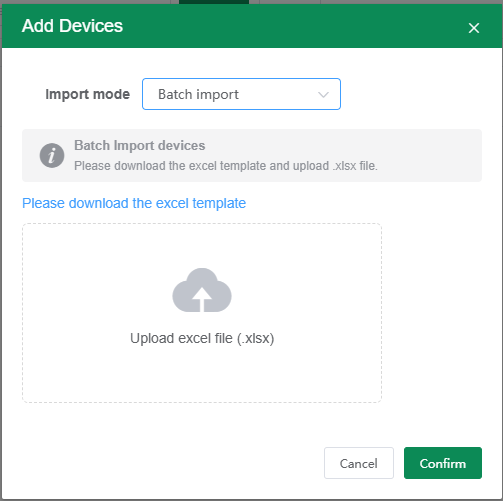
1.2 Import batch unit
2 LinkWorx settings on the router
NOTE: Please contact our sales representitive or support team to obtain the LINKWORX app.
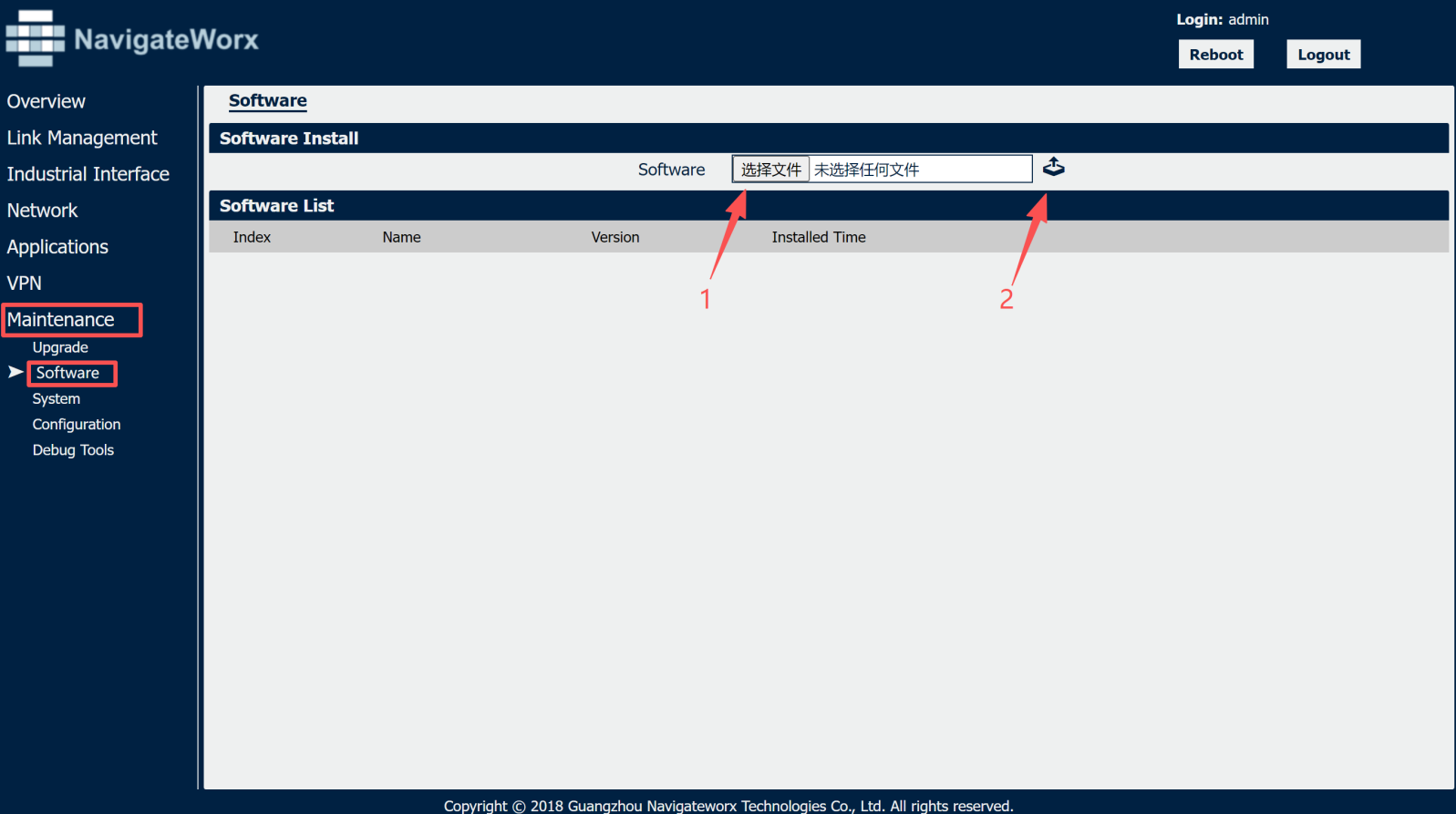
Install LinkWorx APP into the router. Path: Maintenance > Software.
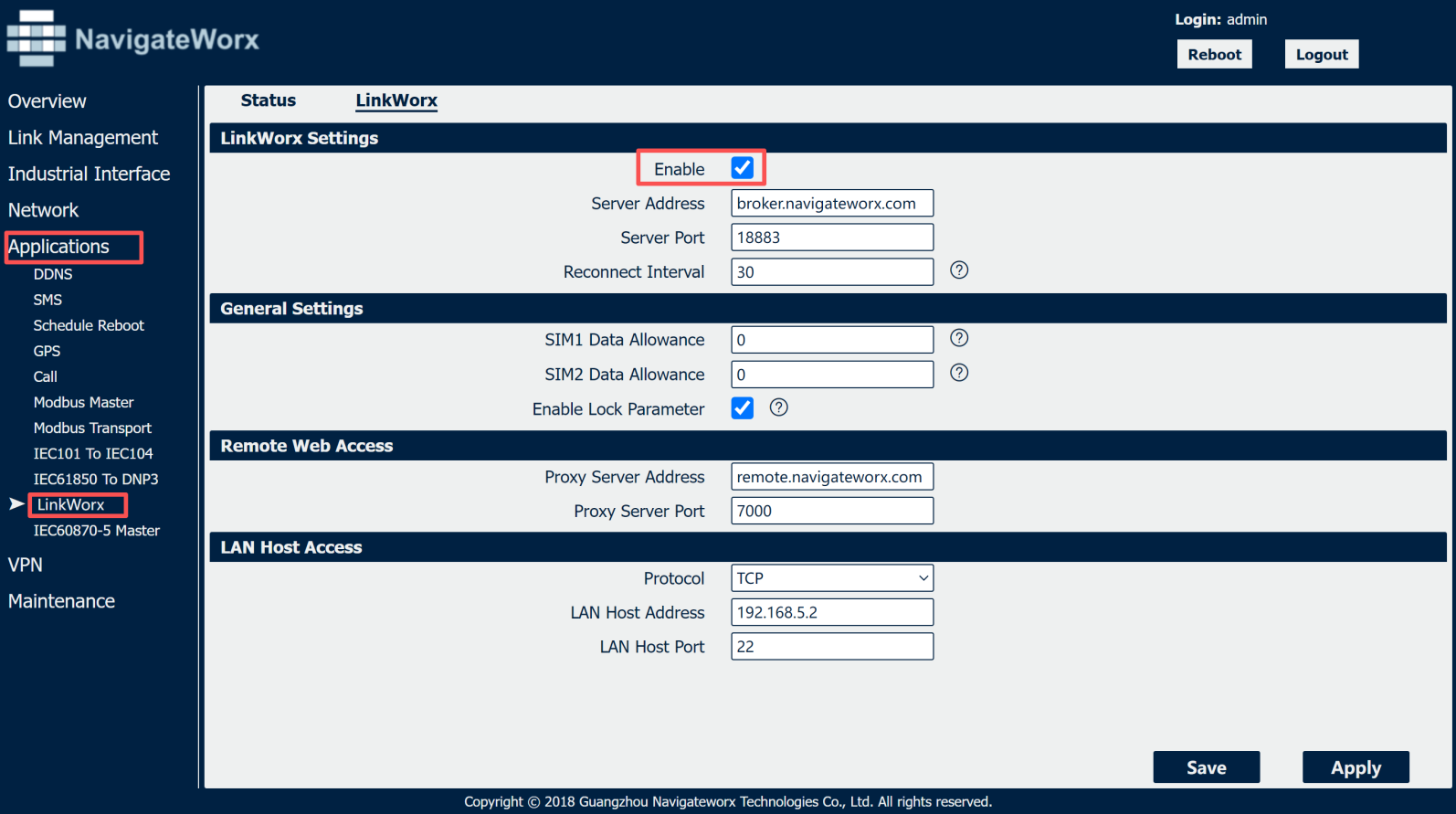
After the installation is completed, enable LinkWorx with the default settings to connect LinkWorx platform. Path: Application > LinkWorx.
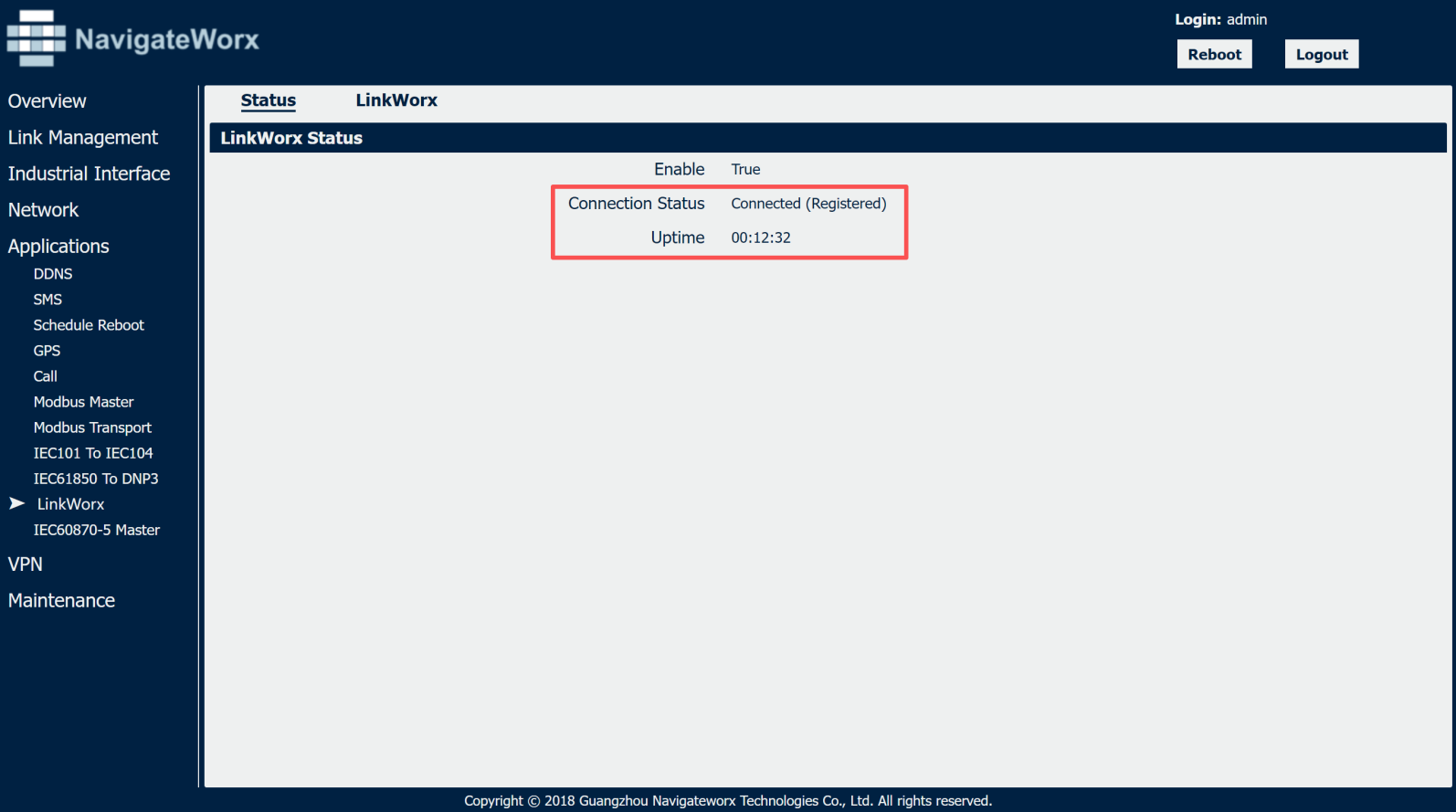
Device conenct to LinkWorx successfully.
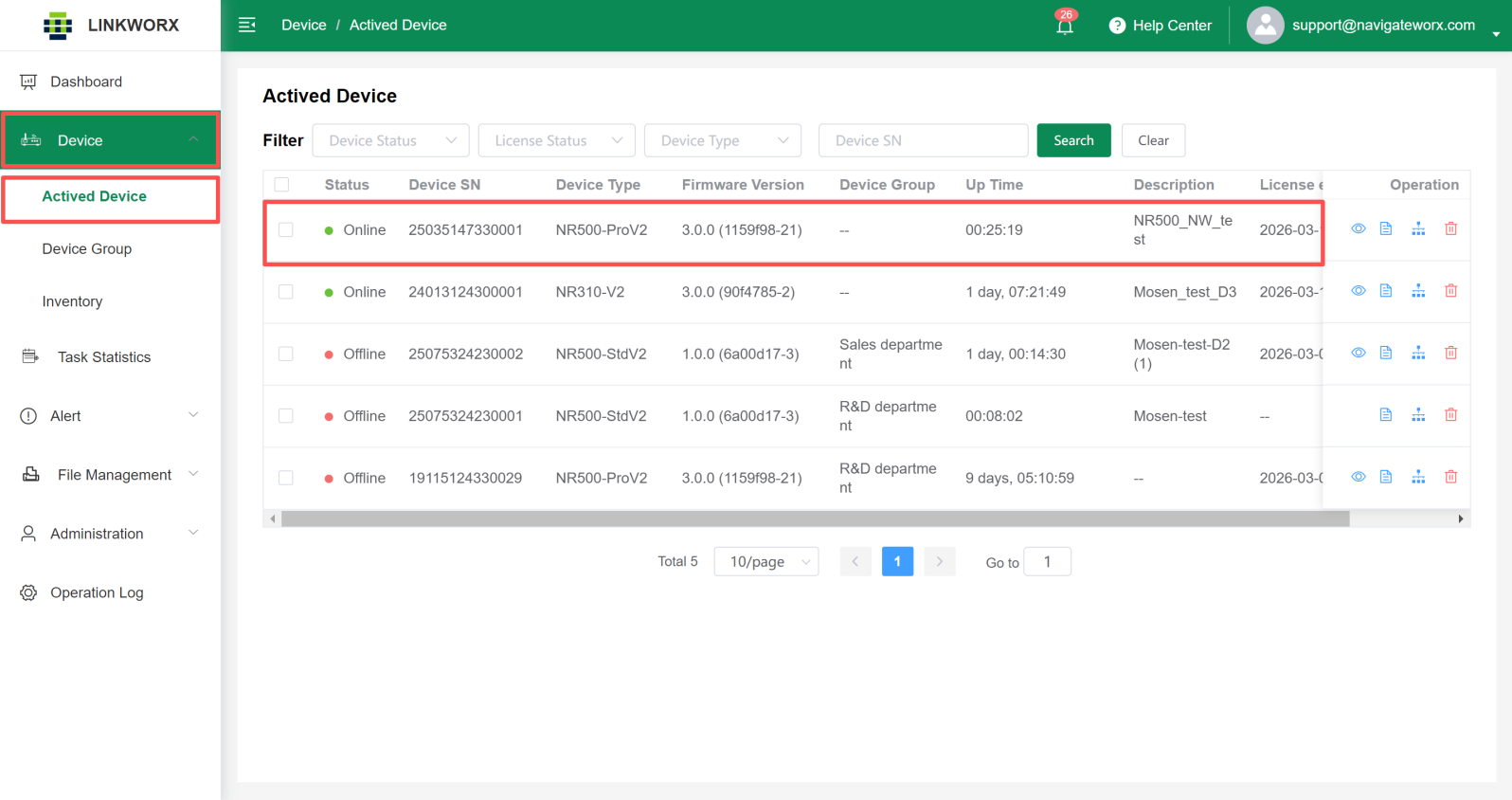
Then you will find the device move to Actived Device List automatically.