1 Overview
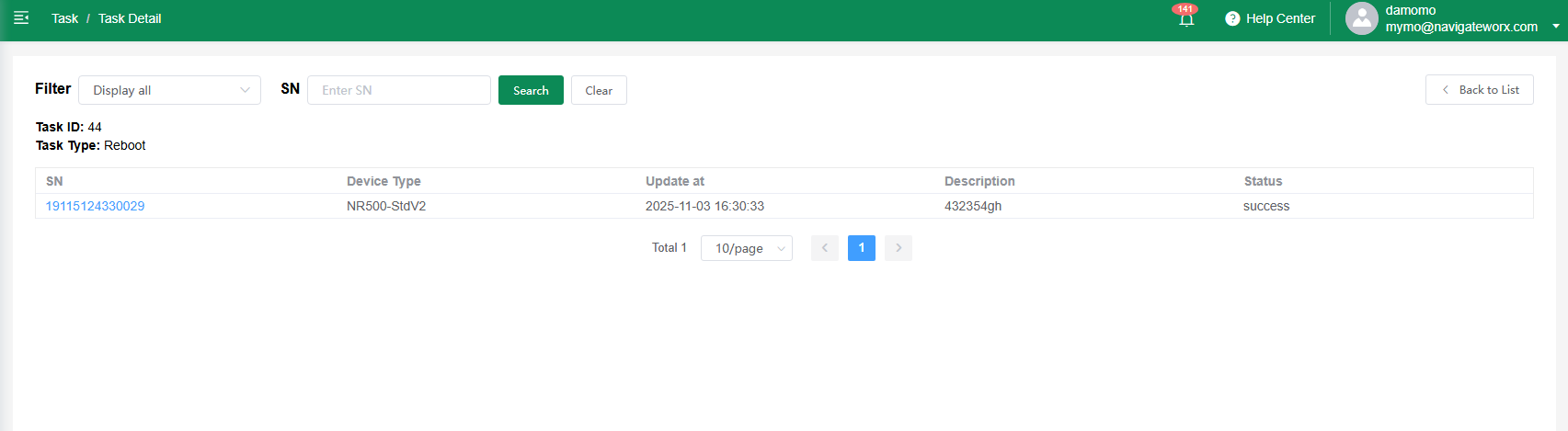
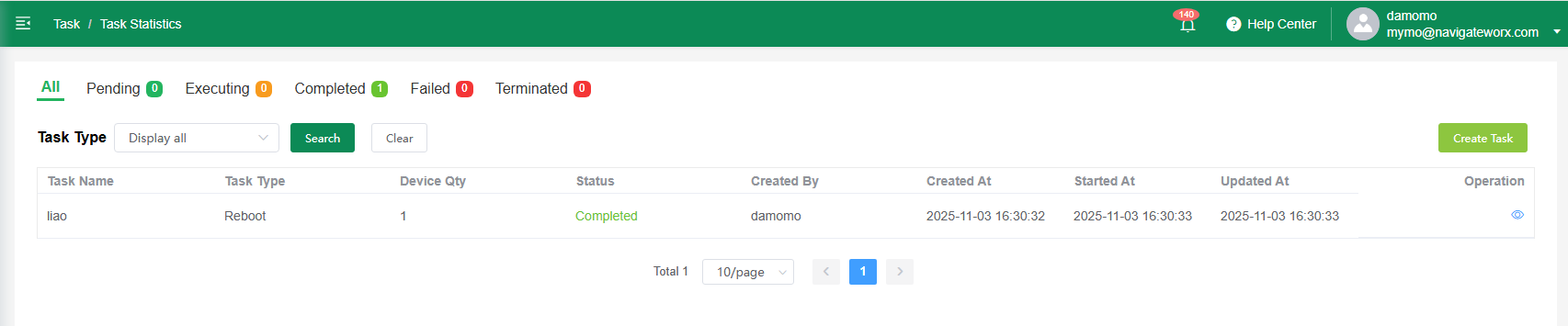
Tasks are automated operations created by users to manage devices in batches, such as firmware upgrades, configuration deployment, or remote reboot. Each task tracks progress across all targeted devices and displays its status in real time, helping users monitor execution and troubleshoot issues efficiently.
| Pending |
The task has been created and is waiting to be scheduled or executed. No action has started yet.
|
| Executing |
The task is currently running, and devices are actively processing the assigned operation.
|
| Completed |
The task has finished successfully, and all targeted devices have completed the operation as expected.
|
| Failed |
The task could not be completed due to errors. One or more devices did not execute the operation successfully.
|
| Terminated |
The task was manually stopped or automatically canceled before completion. Remaining devices did not execute the operation.
|
2 Create Task
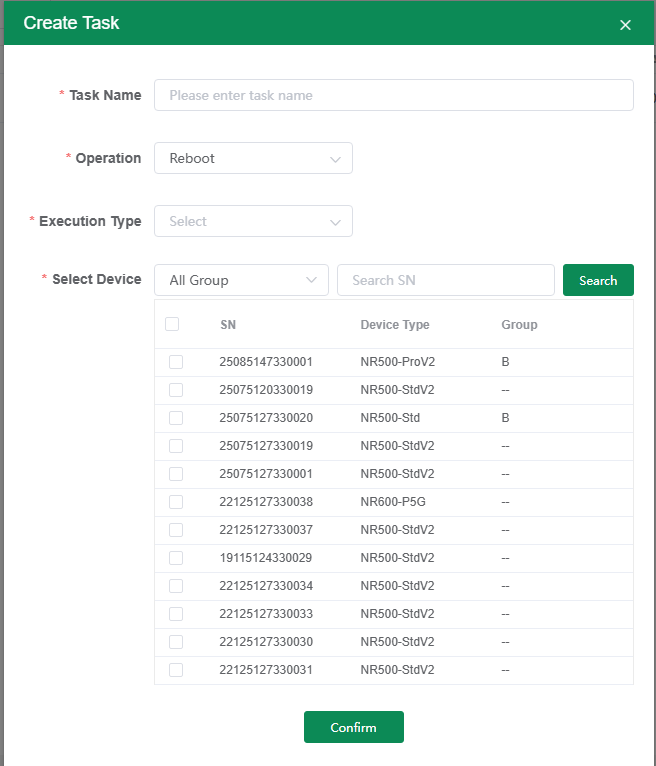
Create tasks to perform bulk device operations, including reboot, factory reset, firmware upgrade, and applying apps or configuration files. Tasks can be scheduled or executed immediately for flexible device management.
Each Task details