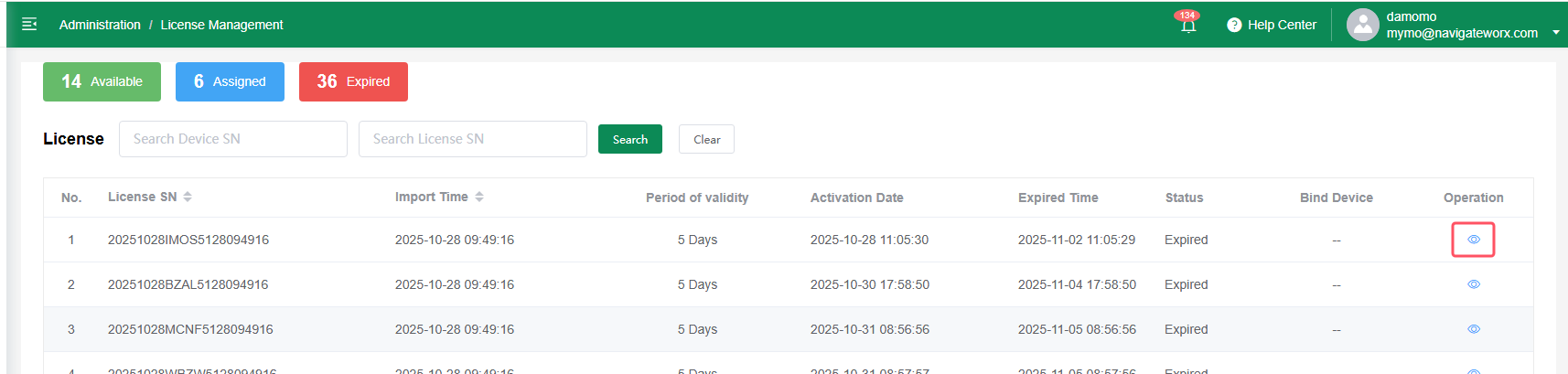
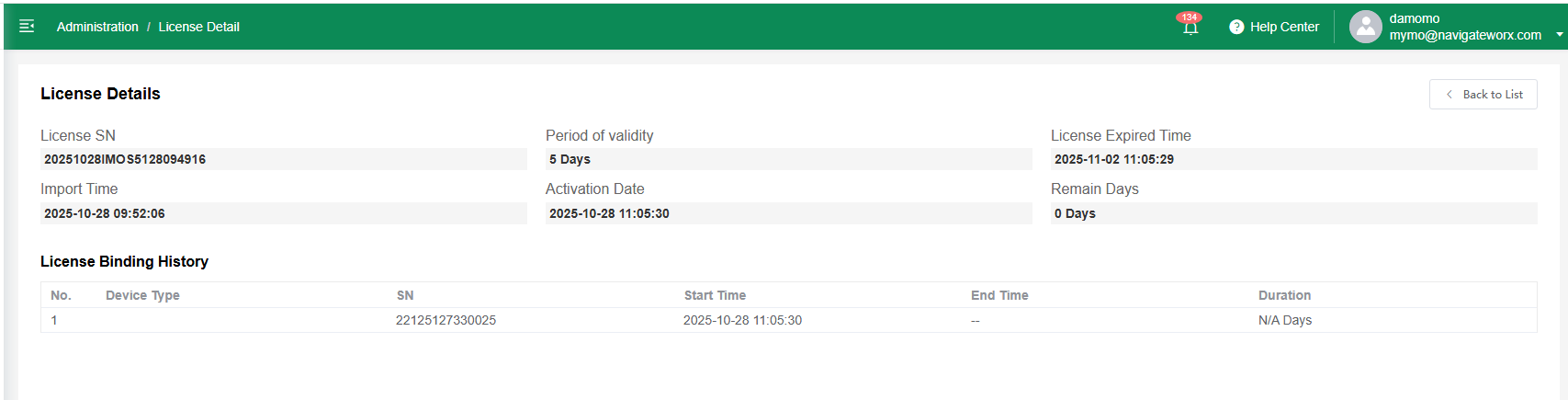
1 License Usage Notes
1.1 License Requirement
-
Only advanced platform features—such as viewing detailed device information—require a valid license.
-
Each device could be paired with one license; a one-to-one relationship is enforced.
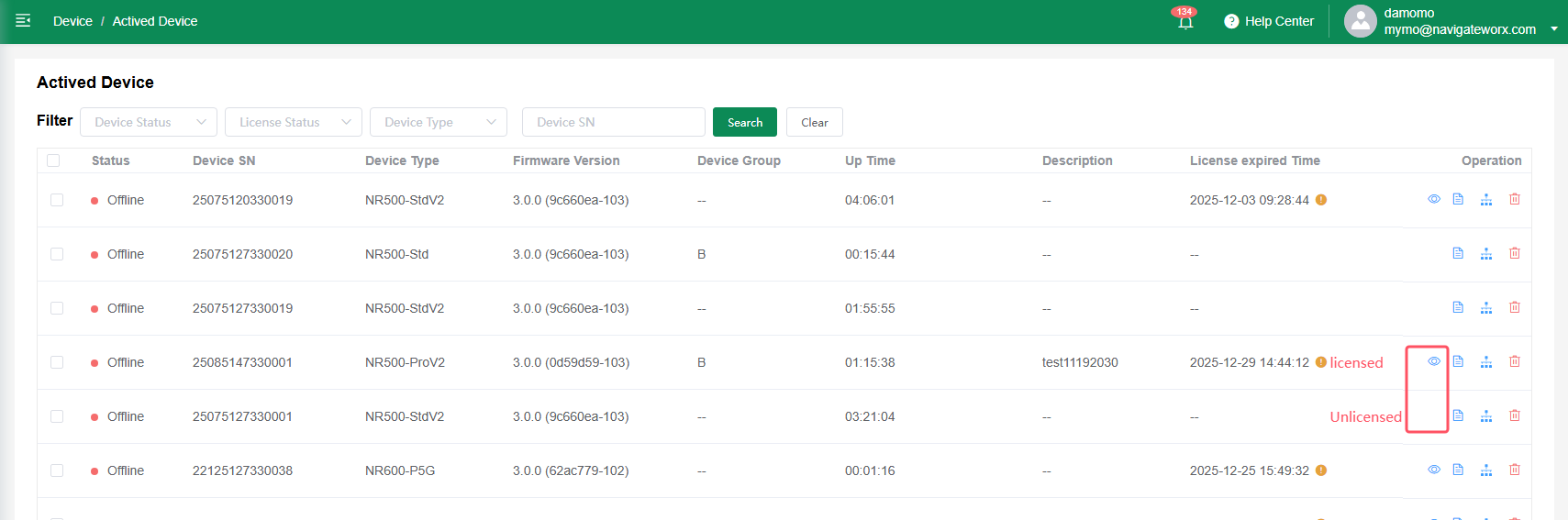
1.2 Binding Rules
-
Licenses can be bound individually or in bulk from the device activation list.
-
Each binding requires a minimum duration of 30 days.
-
Once the first binding is completed, the license becomes Activated.
| Single Unit licensed or unlicensed | ||
 |
-> |
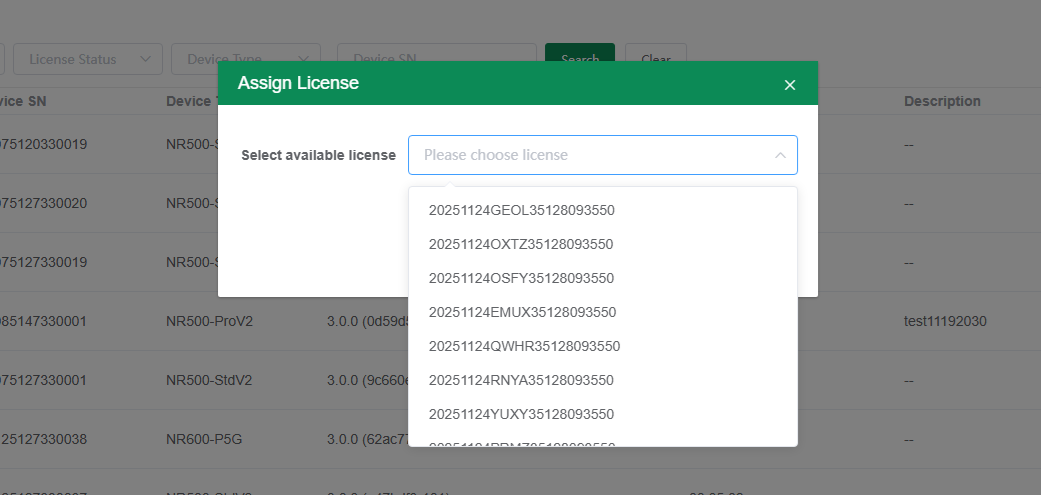 |
| Batch Licensed | ||
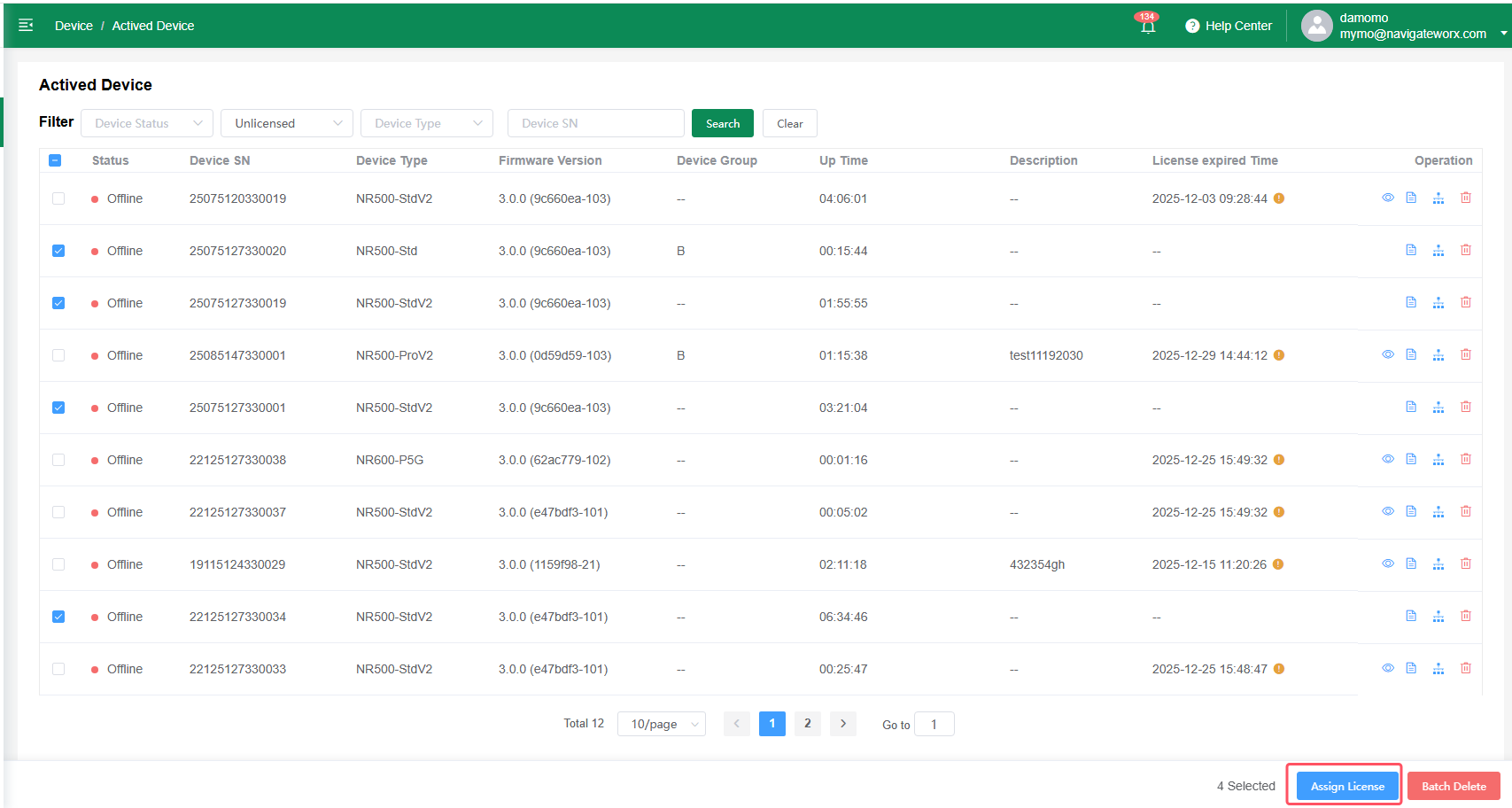 |
-> | 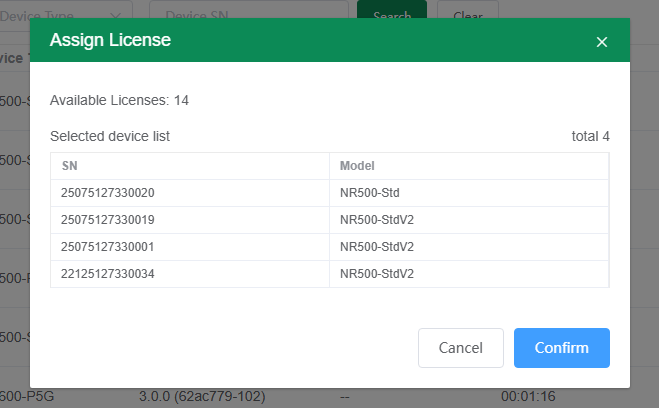 |
1.3 Unbinding / Rebinding
-
After 30 days, a license can be unbound from the device.
-
A license may be unbound during its valid period, but its expiration date will continue counting down.
-
After unbinding, the license becomes available again; users should bind it to another device as soon as possible to avoid wasting remaining validity.
1.4 Expiration Reminder
-
Each license includes a 30-day countdown reminder before expiration to help users take action in advance.

2 License Management
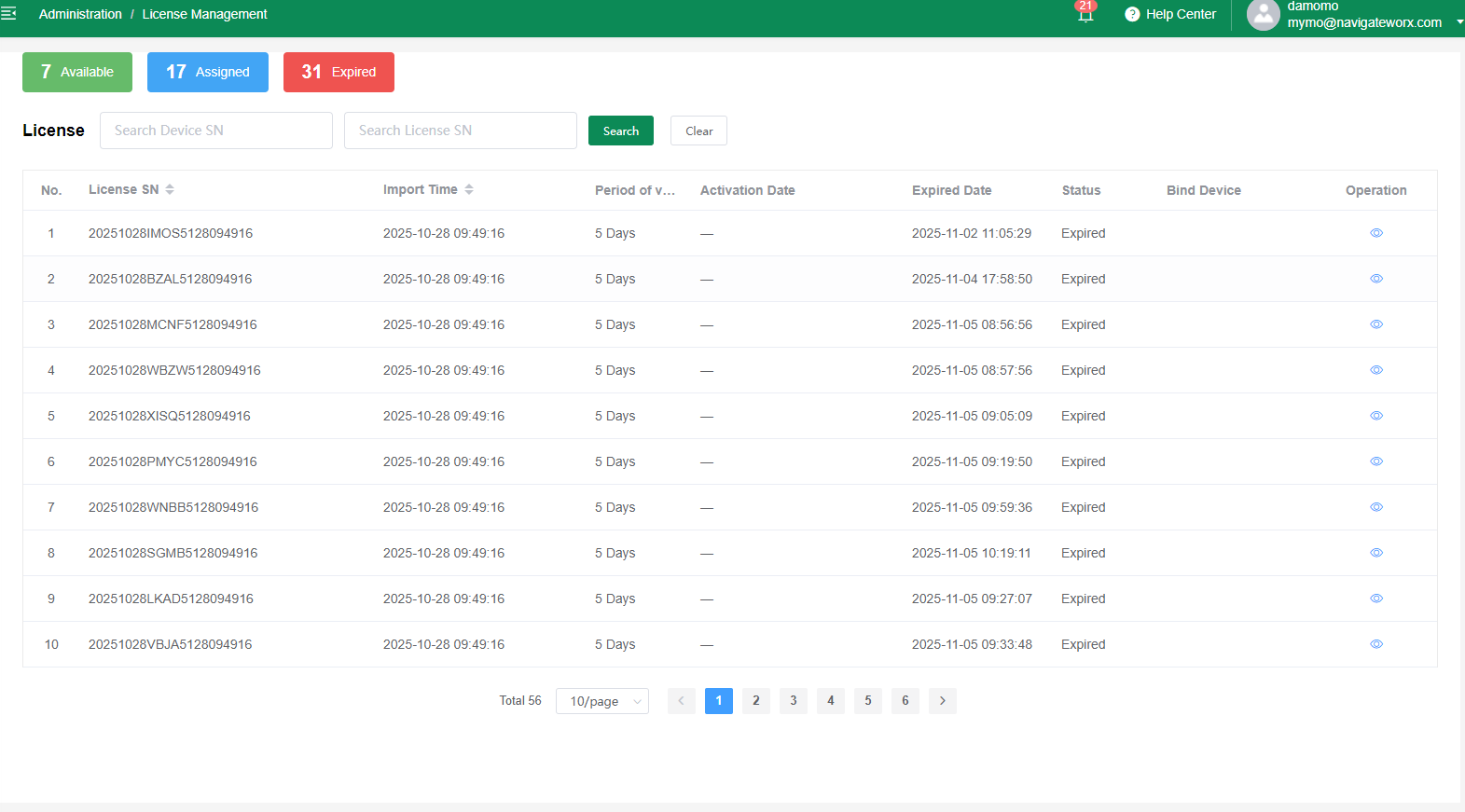
2.1 License Status
-
Available (New / Unassigned):
The license has not been used before. Activation date and expiration date are empty. -
Assigned:
The license is currently bound to a device and is within its effective period. -
Expired:
The license has reached its expiration date and can no longer be used unless renewed or replaced. -
Available (Unbound but Previously Used):
The license was bound before and later unbound. Activation and expiration dates remain visible because the countdown does not stop.
2.2 License Details