GRE VPN
Generic Routing Encapsulation (GRE) is a protocol that encapsulates packets in order to route other protocols over IP networks. It’s a tunneling technology that provides a channel through which encapsulated data message could be transmitted and encapsulation and decapsulation could be realized at both ends.

GRE Status
|
Field |
Description |
|
Displays current GRE settings is enable or disable. |
|
Displays the description of current VPN channel. |
| Mode | Displays the current VPN mode. |
|
Displays the current VPN connection status. |
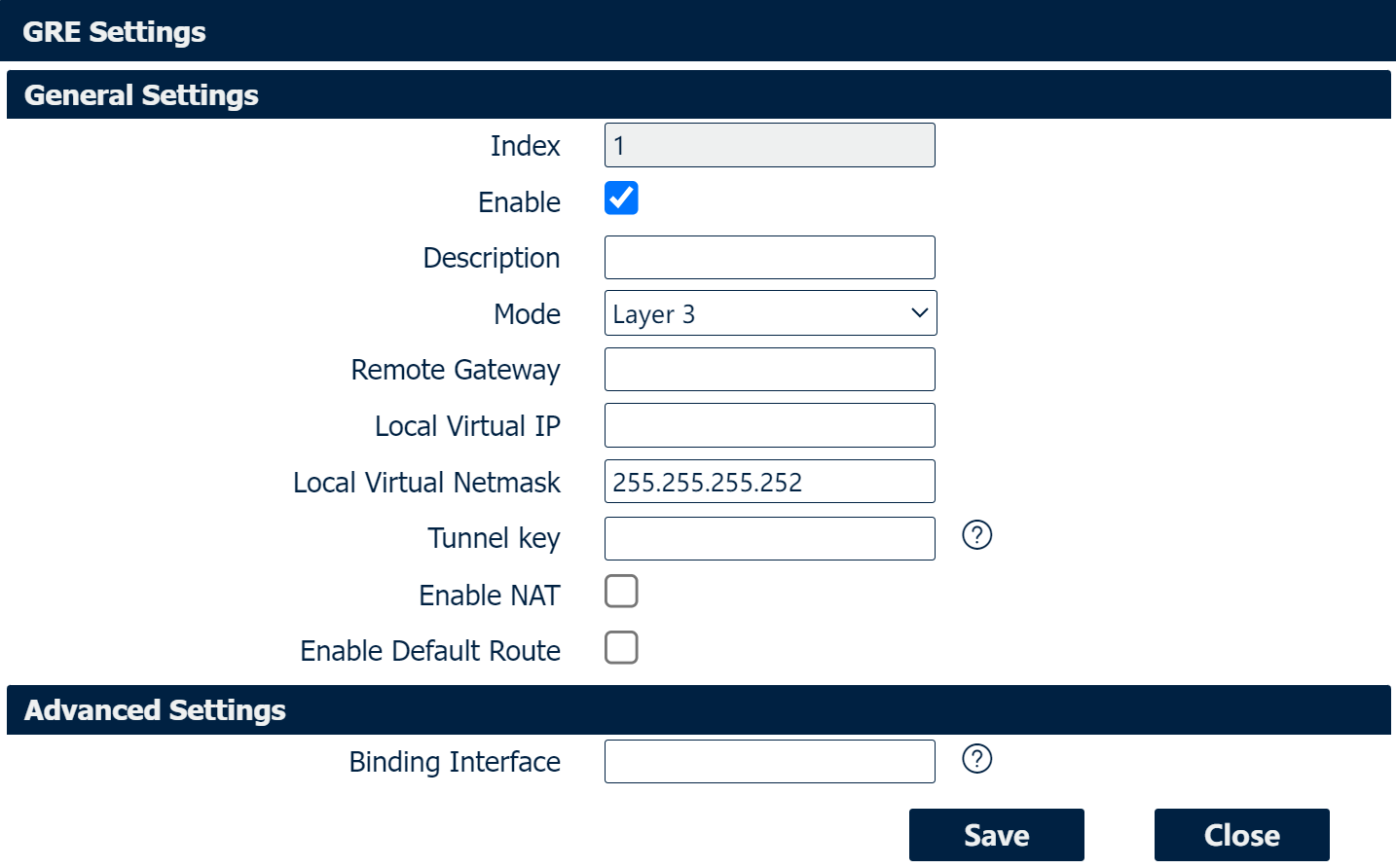
GRE Settings
|
Field |
Decription |
|
Check this box to enable GRE. |
|
Enter the description of current VPN channel. |
|
Specify the running mode of GRE, optional are “Layer 2” and “Layer 3”. |
|
Enter the remote IP address of peer GRE tunnel. |
|
Enter the local tunnel IP address of GRE tunnel. |
|
Enter the local virtual netmask of GRE tunnel. |
|
Enter the authentication key of GRE tunnel. |
|
Check this box to enable NAT function. |
|
Specify the bridge interface work with Layer 2 mode. |
|
Check this box to make all the traffic go through VPN tunnel. |
|
Only specified interface turn into active WAN will start the VPN tunnel. |