WireGuard VPN
WireGuard is a modern, high-performance VPN protocol designed with simplicity, speed, and strong security as core principles. It operates as a layer 3 tunnel, transmitting encrypted IP packets over UDP. Unlike traditional VPNs, WireGuard utilizes state-of-the-art cryptography, such as the Noise protocol framework, Curve25519, ChaCha20, and BLAKE2s, to provide secure key exchange and data encryption. Its minimal codebase is easier to audit and configure, typically requiring only a static public/private key pair for each peer. The protocol is natively supported in the Linux kernel and is available for most major platforms. It is widely regarded as more efficient and secure than older alternatives like IPsec and OpenVPN, making it increasingly popular for both personal and enterprise use.

Interface Status
|
Field |
Description |
| Enable | Display the status of this WireGuard interface. |
| Name | Display the name of this WireGuard interface. |
| Listen Port | Display the listen port of this WireGuard interface. |
| Public Key | Display the public Key of this WireGuard interface. |
Peer Status
|
Field |
Decription |
|
Enable |
Display the status of this WireGuard interface. |
|
Name |
Display the name of this WireGuard interface. |
|
Listen Port |
Display the listen port of this WireGuard interface. |
|
Public Key |
Display the public Key of this WireGuard interface. |
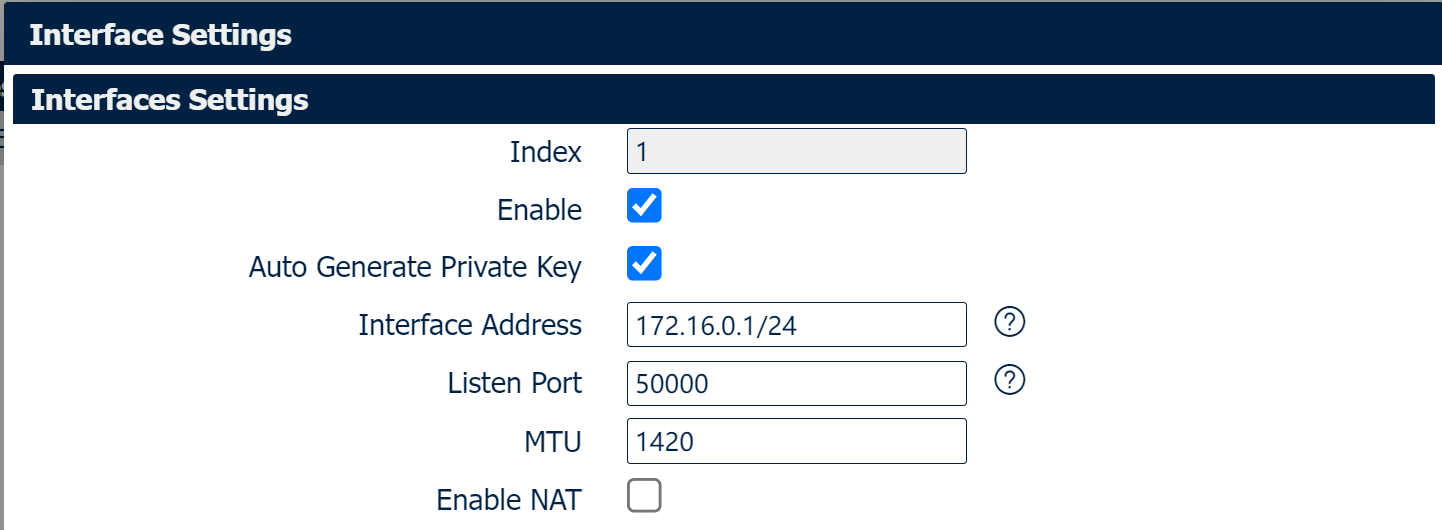
|
Field |
Description |
|
Enable |
Enable the WireGuard Interface. |
| Auto Generate Private Key | Select this option, the private key will be generated automatically by the router. Overview, need to enter Private Key manually. |
| Listen port | Specify the listen Port for the WireGuard Interface. |
| MTU | Specify the MTU size for the WireGuard Interface. |
| Enable NAT | Enable: The source address of the data packets flowing out from the lower host device is NAT-ed to the VPN virtual IP. |
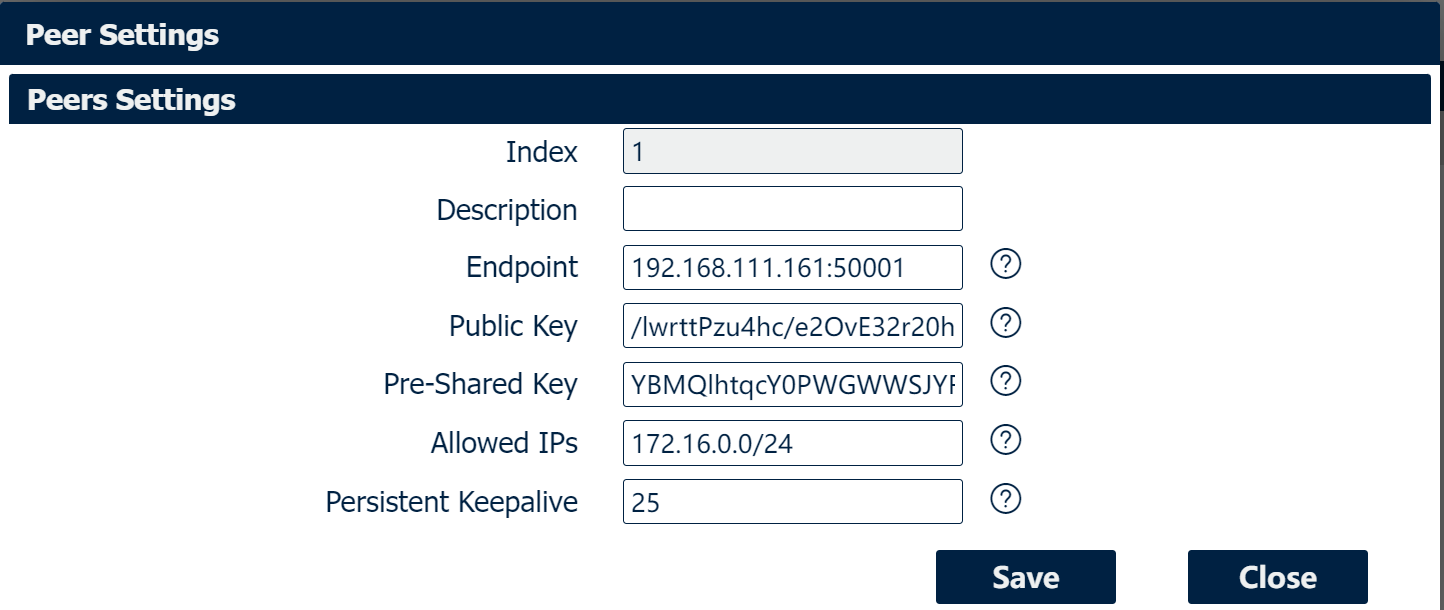
|
Field |
Description |
|
Description |
Add a description for the remote Endpoint. |
| Public Key | Enter the Public key of the remote Endpoint. |
| Pre-Shared Key | Enter the Pre-Shared key of the remote Endpoint. |
| Allow IPs | Allow the specified IPs / subnets through a VPN tunnel. |